

Uber SMS Verification
Receive an Uber sign-in text without using your everyday number.
Uber builds your account around a phone number. You enter it in the app, Uber texts a code, and you are in. Drivers and riders both use it, and the number is also how a driver can call or message you during a trip.
A rented number can receive the sign-up code. SMS Activate gives you the number on your dashboard and shows the code when it arrives. Your wallet is charged when the number is issued, and an order with no SMS inside 20 minutes is refunded.
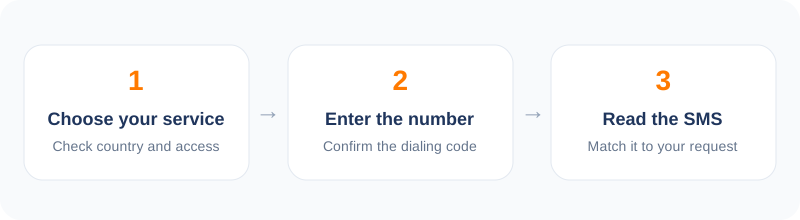
How to verify Uber in 5 steps
- 1Open the dashboard and choose Uber from the service list.
- 2Pick a country where Uber runs and buy a number.
- 3Enter the number in the Uber app.
- 4Wait for the four-digit code on your dashboard.
- 5Enter the code and change the account number to one you keep.
How the Uber code works
After you type in your number, the app sends a four-digit code by text. You enter it, then add your name, email and a payment method. Uber may also ask you to verify again if you change phones or log in from a new place.
Because the number is also used for trip contact, think about what you need. If you plan to take real rides, a driver may try to call or text the number on the account. A rented number will not forward calls to you.
The practical catch
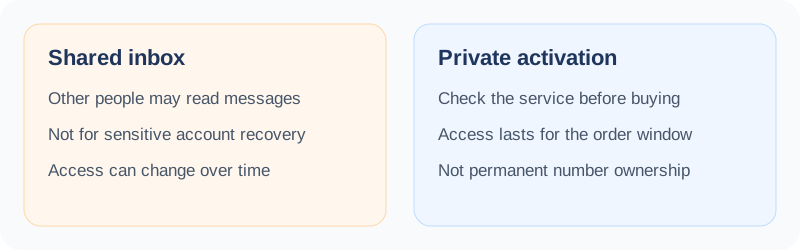
This is the main thing to understand. A rented number receives texts for a short time only. If you later need to log in again and Uber texts that number, you will not get the code.
That makes a rented number best for a one-time check, such as confirming a promo, testing the app, or setting up an account on a trip where your home SIM does not work. If you want a lasting account, change the number on the account to one you keep, using the app's settings, as soon as you are in.
Country and price
Uber works in many countries but not everywhere, and the number's country matters. Pick a country where Uber is active. Prices are generally from a few cents to under a dollar.
If the app says it cannot send a code to the number, try again after a short wait, then choose a different number. Heavy retrying on one number can block it for a period.
Fair use
Uber's terms apply to every account. Do not use rented numbers to create many accounts for promo abuse. That can lead to bans, and it is not what the service is for.
Use it for real needs: privacy, testing, travel. We cannot promise Uber will accept a given number, and that is decided on their side.
Frequently asked questions
Can a driver call my rented number?
No. The rented number receives texts for a short time. It does not forward calls.
Why is my number rejected?
Uber decides which numbers it takes. Try another number or country.
Is it okay to make many accounts?
No. Uber's terms apply and repeated accounts can be banned.
What if I get no code?
After 20 minutes with no SMS, the activation is refunded to your wallet.
Other popular services
Related services
 PayPal verificationA careful guide to receiving a PayPal text code, and when not to.
 Snapchat verificationSign up for Snapchat with a number that is not your personal one.
 Tinder verificationVerify a Tinder login with a separate number and keep your own private.
 Steam verificationReceive a Steam text code without tying your main number to the account.
 Microsoft verificationReceive a Microsoft account text code, with the limits stated up front.
 LinkedIn verificationVerify a LinkedIn account without using your personal number.