

Signal SMS Verification
Register Signal with a separate number and keep your main one private.
Signal is a private messaging app, and it uses your phone number as your account name. When you register, it texts a six-digit code to that number. After that, people who have your number saved can find you on the app.
That is the reason some users want a second number. A person who uses Signal for a project, a community or a small business may not want every contact to see their personal number. SMS Activate rents you a number for the registration text. Your wallet is charged when the number is issued, and an activation with no SMS inside 20 minutes is refunded.
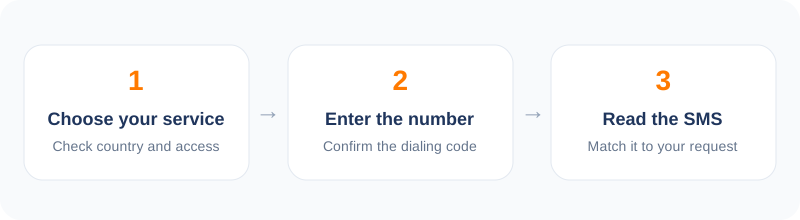
How to verify Signal in 5 steps
- 1Open the dashboard and choose Signal from the service list.
- 2Pick a country and buy a number.
- 3Enter the number in Signal and ask for the code.
- 4Wait for the six-digit code on your dashboard.
- 5Enter it, set a PIN you will remember, and hide your number in settings.
How Signal registration works
You install the app, enter a phone number, and Signal sends a code by text. If the text does not arrive, the app offers a voice call instead. Enter the code and the account is created.
Signal then asks you to set a PIN. This is important. The PIN protects your account if you re-register on a new phone, and Signal has a registration lock option that uses it. Write the PIN down somewhere safe. Without it, getting back into an account tied to a number you no longer control can be hard or impossible.
The honest limit with rented numbers
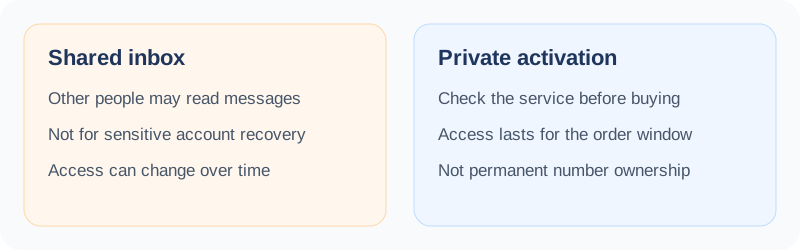
A rented number is yours only for the activation. If you ever need to register Signal again, Signal will text that same number, and you will not receive it. That means the account is tied to a number you cannot get back.
Signal lets you change the visible side of the account: you can hide your number from other people and use a username instead. If you want a long-lived account, do that right after sign-up and keep the PIN safe. Do not depend on the rented number later.
Why people choose a second number
Community moderators, researchers, and people who share a device with others often keep their private number off the app. Another group is developers who test messaging flows and need new registrations.
We are not here to judge the reason. We do ask that you follow Signal's own terms and the laws where you live.
Price, country, and what to expect
Prices vary by country, normally from a few cents to under a dollar. Signal sends from many different routes, so the code can take a little longer than for other apps. Give it a minute or two before you try the voice call.
Public guides report that some messaging apps reject numbers from certain providers. We cannot promise that Signal will accept a given number. If it does not, cancel after two minutes and pick another one.
Frequently asked questions
Can I get my Signal account back if the rented number is gone?
Only with your PIN while the registration is still valid. Without it, you may lose the account. Save the PIN.
Why does the code take a while?
Signal uses several routes for texts. Wait a minute or two, then try the voice call option if you like.
Can I hide my number after signing up?
Yes. Signal has a setting to hide your number and use a username.
What if no SMS arrives?
If nothing comes in the 20-minute window, the order is refunded to your wallet.
Other popular services
Related services
 Apple verificationWhat to know before using a rented number with an Apple ID.
 Uber verificationReceive an Uber sign-in text without using your everyday number.
 PayPal verificationA careful guide to receiving a PayPal text code, and when not to.
 Snapchat verificationSign up for Snapchat with a number that is not your personal one.
 Tinder verificationVerify a Tinder login with a separate number and keep your own private.
 Steam verificationReceive a Steam text code without tying your main number to the account.