SMS Activation Billing and Refunds: How They Work
Billing and refunds · By SMS Activate Team · February 28, 2026 · 5 min read
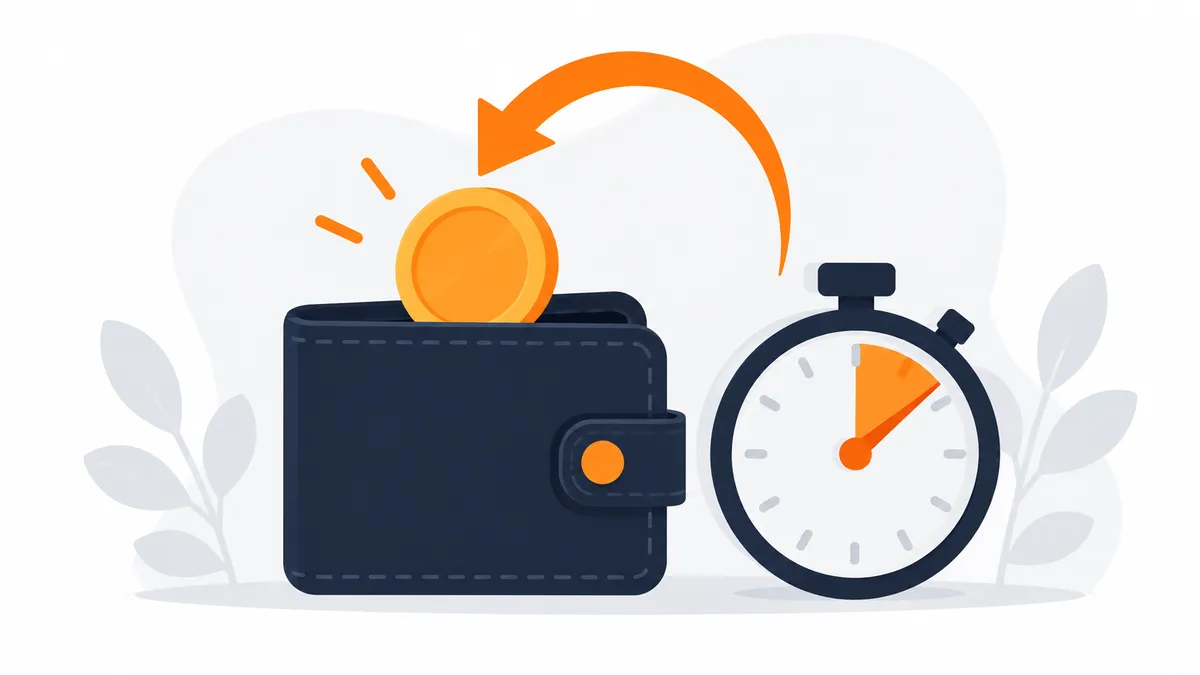
People often ask when they are charged, when they get money back, and what happens if a code never arrives. This article explains the billing rules for activations in plain terms, so there are no surprises.
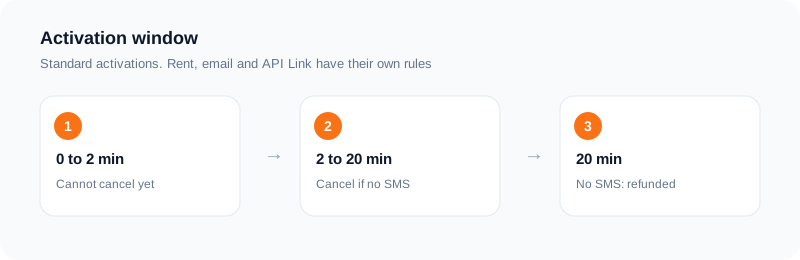
The short version: your wallet is charged when you place an order, and a standard activation that gets no SMS is refunded to your wallet.
When your wallet is charged
Your wallet is charged when you place an activation order. The number and any incoming SMS then appear in your dashboard. This is a charge at purchase followed by a refund if the activation fails. It is not a pay-only-on-delivery arrangement, and it helps to know the difference before you buy.
You can see your balance and your orders in the dashboard at any time, so you always know what was charged and why.
The 20-minute window and cancelling
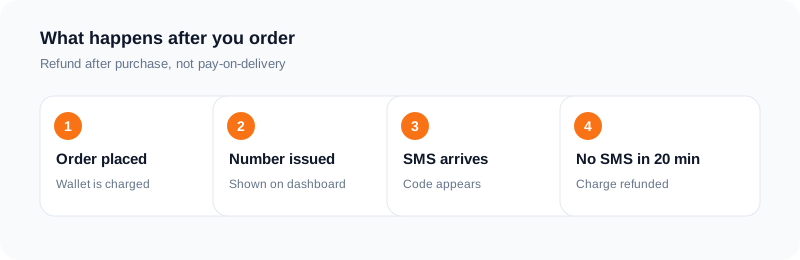
Each standard activation has a 20-minute window. If no SMS arrives in that time, the activation charge is refunded to your wallet.
You can also cancel an active activation after the first two minutes if no SMS code has arrived. The short wait is there so that a code already on its way is not lost. Once an SMS has arrived, the activation cannot be cancelled for a refund.
Rent, email and API Link orders
Rental, email and API Link orders are not the same as a standard activation. They have their own cancellation and refund rules, and in some cases a refund is reviewed before it is made rather than paid out automatically.
Before you buy one of these, read the rules shown for that order type in your dashboard. They are written there so you can check them at the moment you choose.
Price modes and availability
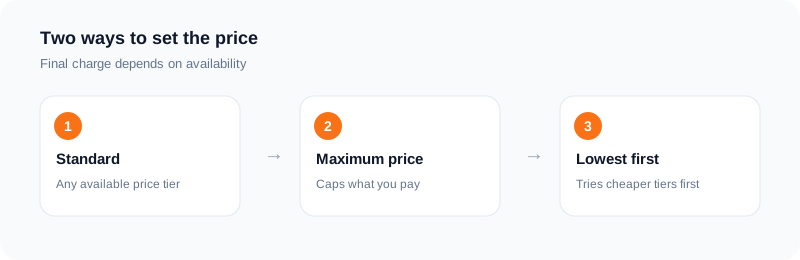
Availability and price vary by service and country. In standard mode the order can use any available price tier. If you want to limit what you pay, choose a maximum price. Lowest-price-first mode tries cheaper tiers first, but the final charge still depends on what is available at that moment.
If a country or service has no stock, try another country or come back later. Stock changes through the day.
If something looks wrong
If a charge or a refund does not look right, check the order in your dashboard first, then contact support with the order details. We cannot reverse a decision made by the service you were signing up for, such as a refused number, but we can check whether an SMS was delivered to your order.
A worked example, step by step
Say you need a code for one signup. You pick the service and a country, then place the order. At that moment the price is taken from your wallet. A number appears on your dashboard. You enter it in the app, ask for the code, and watch the order page.
If the SMS arrives, you copy the code and finish the signup. The order is complete, and the charge stays as the cost of that activation. If the SMS does not arrive and the 20-minute window ends with no code, the charge is refunded to your wallet. You do not need to file anything for a standard activation.
If you decide earlier that the number is not working, you can cancel once the first two minutes have passed, and a cancelled standard activation with no SMS is refunded. The point of the two-minute gap is that most codes arrive quickly, and cancelling too fast leaves no time for the message to land.
What this model does and does not mean
It helps to be precise. The charge is taken first and returned if nothing arrives, so your wallet balance goes down for a short time. It is not a promise that every order will produce a code. It is a promise about what happens to the money when one does not.
It also does not cover problems on the other side. If the app rejects a number, or you type the wrong number into the form, that is a different situation from "no SMS arrived". Read the order page and the refund rules before you rely on a refund in an unusual case.
Rental, email and API Link orders follow their own rules, so check the details shown for that order type before you buy.
Habits that save money
Start with the cheapest sensible option, not the one that looks fastest. Check that the service and the country are right before you press buy, because a wrong selection is the most common avoidable loss.
Use the number straight away. Order when you are ready to request the code, not ten minutes earlier, because the window is running from the moment the number is issued.
Keep your own note of each order and check it against your balance, so you can match every order to what happened.
Questions people ask before their first order
"What if the number works but the app never sends the SMS?" From the order page that looks the same as no SMS. If nothing arrives in the window, a standard activation is refunded to your wallet.
"What if I get the code after I cancel?" Cancel only when you are sure you are done waiting. Once an order is cancelled, treat it as finished and start a new order if you still need a code.
"Can I order several at once?" You can place more than one order, but each has its own window and its own charge. If you are new, do one at a time so you can follow what happens to each.
"Does a refund come back as cash?" Standard refunds go back to your wallet balance, so you can use them for your next order.
Frequently asked questions
Am I charged if no code arrives?
Your wallet is charged at purchase. If no SMS arrives inside the 20-minute window, the charge is refunded to your wallet.
When can I cancel?
After the first two minutes, as long as no SMS has arrived.
Do rent and email orders follow the same rules?
No. Rental, email and API Link orders have their own rules, shown in the dashboard.
How do I limit the price?
Choose a maximum price when you place the order.
When exactly is my wallet charged?
At purchase. For a standard activation, the charge is refunded to your wallet if no SMS arrives within the 20-minute window.
Can I cancel straight after ordering?
Not in the first two minutes. After that you can cancel a standard activation that has not received an SMS, and it is refunded.
Ready to try it?
Open the dashboard to see the price for your service and country before you order.
Open the dashboardKeep reading
Related services
 Telegram verificationCreate a Telegram account without exposing your personal phone number.
 WhatsApp verificationVerify WhatsApp with a private second number instead of your everyday SIM.
 Google / Gmail / YouTube verificationVerify a new Google account, Gmail address, or YouTube channel without your main number.