

OpenAI / ChatGPT Verification with a Virtual Number
If OpenAI asks for phone verification, keep your personal number out of it.
OpenAI does not require phone verification for every account. Its help center says it is not generally required to create an account or use ChatGPT, but you may be asked to verify a phone number in some cases, for example when you use Codex in the ChatGPT desktop app or when you create your first API key on the API platform. If you get that prompt and would rather not use your personal number, or your old number is stuck on an account you can no longer reach, it can become a real obstacle.
SMS Activate rents mobile numbers that receive OpenAI's verification code. You pick a supported country, enter the rented number during signup, and the code appears on your dashboard when the service sends it. You review billing and refund rules in your dashboard.
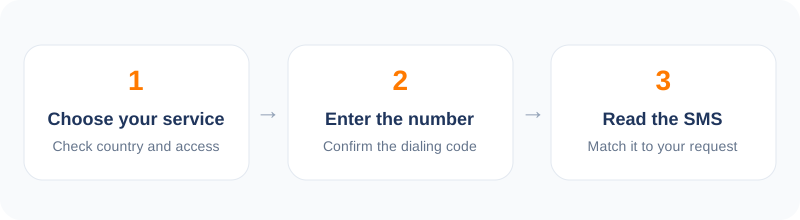
How to verify OpenAI / ChatGPT in 5 steps
- 1Open the dashboard and select OpenAI from the service list.
- 2Choose a country in a region where OpenAI operates.
- 3Enter the rented number when OpenAI asks for a phone number.
- 4Copy the code from your dashboard.
- 5Finish account setup and create your API key.
How OpenAI phone verification works
Whether you see a phone prompt depends on what you are doing and where you are. When OpenAI does ask, it sends a code by SMS (or by WhatsApp in some regions) to the number you enter. Landlines, VoIP and premium numbers are not accepted, and one number can only be used on a limited number of accounts, which is why a fresh mobile number matters. The check usually happens once; after that you log in as normal.
Not every country's numbers are accepted for OpenAI verification - availability depends on OpenAI's supported-region policies, which change over time. The practical approach: choose a country in a supported region, and if the platform rejects the number before sending a code, request cancellation after the first 2 minutes while no SMS has arrived (eligible cancellations are refunded to your wallet) and pick another country.
Legitimate reasons people use a rented number
Developers are the largest group: someone building on the API often wants a separate account for a client project or a staging environment, distinct from the personal account they already verified with their own number. Small companies setting up a team workspace prefer the account anchored to a project identity rather than an employee's phone.
There are also ordinary users whose number is stuck on an old account they cannot recover, or who are temporarily abroad without a working SIM. A rented number unblocks signup without paperwork.
Cost and delivery
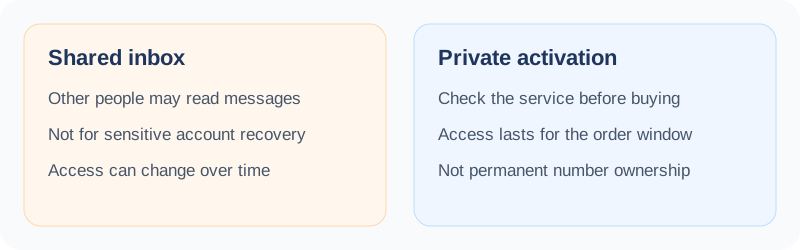
Prices for OpenAI verification vary by country and operator, and the exact price is shown before you confirm. Codes appear on your dashboard when the service sends them. As always on this platform, your wallet is charged at purchase. If no SMS arrives within the activation window, the charge is refunded to your wallet.
Tips for a smooth OpenAI activation
Complete signup from a normal browser connection in a supported region. Enter the number in international format, request the code once, and have your dashboard open to copy it when it arrives. After the account is live, set up billing and API keys from the account dashboard.
Frequently asked questions
OpenAI rejected the number instantly. What should I do?
You can request cancellation after the first 2 minutes while no SMS has arrived; eligible cancellations are refunded to your wallet. Then rent a number from a different country and try again.
Is verification needed again later?
Usually not. The phone check normally happens once, for example the first time you use a feature that needs it. Afterwards you log in as normal.
What if the SMS code never arrives?
On a standard one-time activation, the order expires at the end of the 20-minute window and the charge is refunded to your wallet under the activation refund rules.
Other popular services
Related services
 Facebook verificationRegister or verify a Facebook account while keeping your personal number private.
 Instagram verificationSet up an Instagram account with a number that is not your personal line.
 TikTok verificationCreate a TikTok account with a second number and keep your main line private.
 Discord verificationVerify a Discord account without attaching your everyday phone number.
 Twitter / X verificationVerify an X account while keeping your personal number off the platform.
 Amazon verificationVerify an Amazon account without tying it to your primary phone number.