
How to Use Two WhatsApp Accounts (and What Number Each Needs)
Guides · October 16, 2026 · 4 min read

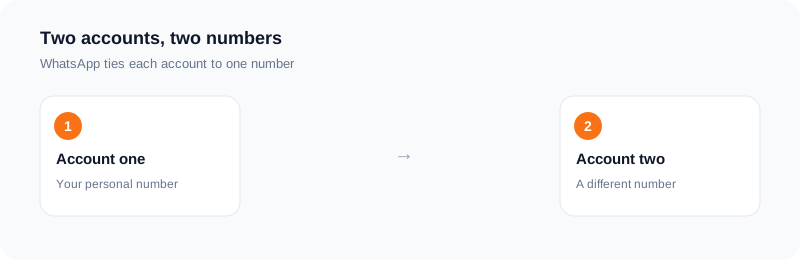
Many people want two WhatsApp accounts: one for family and friends, one for work or a side project. WhatsApp ties each account to a phone number, so two accounts means two numbers.
This guide explains the common ways to run two accounts and how to think about the number for each.
One number per account
When you register, WhatsApp sends a code to your number by text or call. That number becomes the account. Two accounts need two numbers that can each receive that code at least once.
The number is also how contacts find you, so choose one you are happy to share with the people in that account.
Way 1: a phone with two SIMs
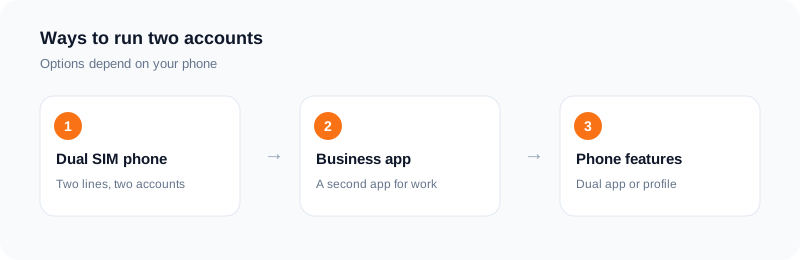
If your phone has two SIM slots, or a SIM and an eSIM, you can have two lines on one phone. Each line can be used to register one account. This is the most stable setup, because both numbers are real lines you keep.
Way 2: the business app for the second account
WhatsApp offers a separate business app. People often use the regular app for a personal number and the business app for a work number on the same phone. The business app has features made for small businesses, such as a business profile. Check WhatsApp's current help pages for the details and limits, since they change.
Way 3: features built into your phone
Some phones offer a dual app or second profile feature that lets you install two copies of an app. Where available, it can be used to run a second account. Look in your phone's settings, and check WhatsApp's help pages to confirm the setup is allowed on your device.
Where a rented number fits
A rented number can receive the registration code. The limit is that the number is temporary. If you reinstall WhatsApp or move phones, WhatsApp will send a new code to the same number, and a rented number will not receive it. That could cost you the account.
So use a rented number only for an account you can recreate. For anything you want to keep, use a number you own. Note too that WhatsApp can refuse numbers it does not accept, and no provider can promise it will accept a given one.
Tips
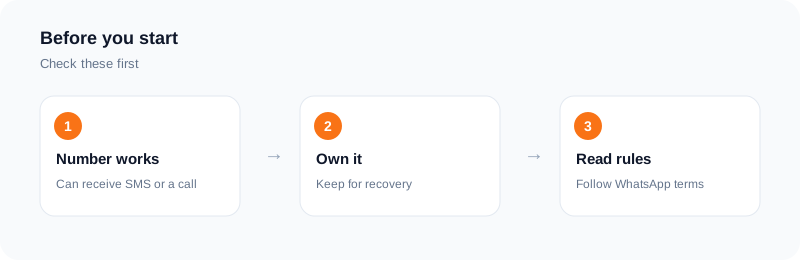
Turn on two-step verification in WhatsApp and keep the PIN safe. Keep a record of which number belongs to which account. Back up chats before you change phones. Follow WhatsApp's terms and do not use extra accounts for spam.
Setting up the second account, step by step
The details differ by phone and app version, so check current help pages, but the general steps are similar. First decide which number goes with which account. Then install or enable the second app or profile that your phone offers for this. Open it and choose to register with the second number.
When the app asks for the number, enter the country code and number carefully. Wait for the code to arrive by SMS or by call, enter it, and set a name and a photo. Turn on two-step verification and add a recovery email straight away.
Before you rely on the account, send a test message to a friend and make sure messages come in. Keep the SIM or the number alive for as long as you want that account.
Keeping the two accounts apart
Use a different profile photo and name so you do not mix them up. Check which account you are in before sending a message to a client or a family member. Turn on separate notification sounds if your phone allows it.
Back up each account on its own schedule, and note where each backup lives.
When the second number stops working
If you lose the number, you may lose the account. This is why a number you plan to keep fits a business or a long relationship better than a number that was only rented for a code. If you must change the number, look for the change-number option in the app before you give the old one up.
Choosing the right setup for you
If you carry one phone and want work and personal chats apart, a dual SIM phone or a second app on the same phone is the most direct route. If you want to look at a second account without any commitment, a short trial with a rented number is enough.
If the second account is for a business with customers, give it a number you will keep for years. Changing a business number later means telling every customer.
Whatever you choose, write down which number belongs to which account, and keep that note somewhere safe.
Frequently asked questions
Can one number run two accounts?
No. Each WhatsApp account is tied to one number.
Do I need two phones?
Not always. Dual SIM phones, the business app and some phone features can help.
Is a rented number good for a long-term account?
No. It will not receive later codes.
What if no code arrives?
A standard activation with no SMS in 20 minutes is refunded to your wallet.
Can one number run two WhatsApp accounts?
Each account needs its own number, so plan one number for each.
What happens if I lose the number?
You may lose access to the account. Add two-step verification and a recovery email, and use a number you keep for accounts that matter.
Ready to try it?
Rent a number and receive your verification code in under a minute.
Open the dashboardKeep reading
Related services
 Telegram verificationCreate a Telegram account without exposing your personal phone number.
 WhatsApp verificationVerify WhatsApp with a private second number instead of your everyday SIM.
 Google / Gmail / YouTube verificationVerify a new Google account, Gmail address, or YouTube channel without your main number.