
Temporary Number for Instagram, TikTok and Facebook: A Simple Guide
Guides · October 16, 2026 · 3 min read

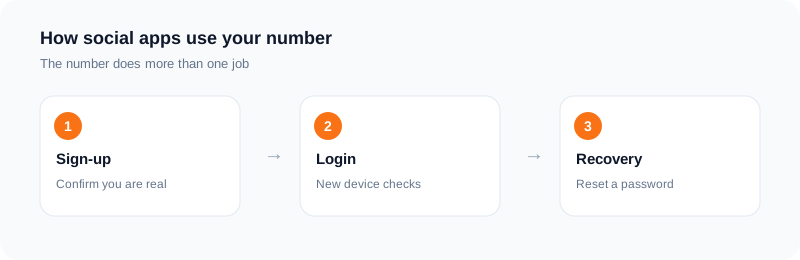
Instagram, TikTok and Facebook all use your phone number in similar ways: to confirm you are real, to protect your login and to help you recover the account. Many people prefer not to hand their main number to all three.
This guide covers the three together, since the advice is the same, and explains what a temporary number can and cannot do.
How these apps use your number
At sign-up, the app can send a code to confirm you control the number. Later, it can send one when you log in from a new device or reset a password. Each of these uses is another place where the number must work.
What a temporary number does well
It keeps your main number out of the apps' records and away from marketing texts. It is helpful for a new account you want to try, for a project page, or for testing. You choose the service and a country on SMS Activate, enter the number in the app and read the code on your dashboard.
What it does not do
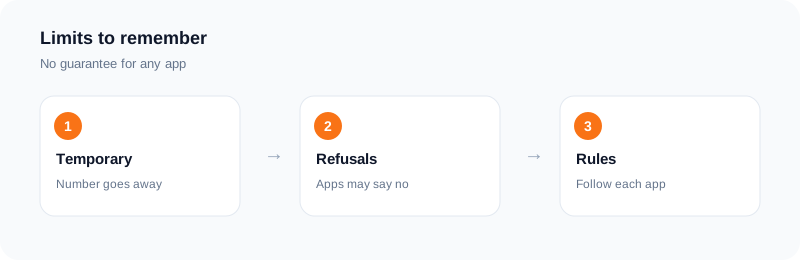
It is temporary. When the rental ends, any later code goes nowhere. If you forget your password and the app sends a code to that number, you cannot read it.
Each app also decides which numbers it accepts. Public guides report that some numbers are refused, and the rules change. We cannot promise any app will accept a given number. If one is refused, cancel after two minutes and try another.
Set up recovery right away
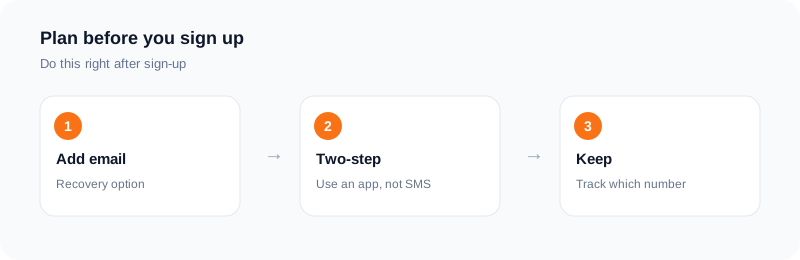
Right after you sign in, add an email you check. Turn on two-step login with an authenticator app, not SMS. Write down which email belongs to which account. These three steps mean you do not depend on the rented number later.
A note on accounts you want to keep
If the account is your main profile, or you earn money from it, use a number you own for the long run. For new or test accounts, a temporary number is fine.
Be a good user
Use real details, one account for one purpose, and follow each app's rules. Do not use numbers to run many fake accounts or to dodge a restriction. That breaks the rules and we do not support it.
Setting up a new account the safe way
Use the app, enter the number with its country code and request the code once. When it arrives, enter it and choose a strong password. Before you do anything else, add a recovery email that you control.
Then look at the privacy settings. Decide whether your account is public or private. Check whether the app lets people find you by phone number, and turn that off if you prefer.
Turn on two-step sign-in with an authenticator app where it is offered.
What to do if you get locked out
If you used a temporary number and cannot receive a new code, try signing in with your email and password. Use the official recovery page and follow the steps. Keep the details of the account ready, such as the username and the email.
Do not pay anyone who offers to recover an account for you. Use the official route only.
Choosing which accounts get a temporary number
A temporary number suits a test account, a throwaway profile or a short project. Use a number you keep for an account with followers, ads or business use, because losing it means losing access.
A short checklist for new accounts
Recovery email added. Strong, unique password set. Two-step sign-in on if offered. Number search off if you prefer. Profile set to private if you are only testing. Note of the sign-in details stored safely.
Spend a few minutes on this when the account is new. It costs less than trying to fix a locked account later.
If you decide to keep the account, move it to a number you hold in the settings, as soon as the app lets you.
Frequently asked questions
Is one guide enough for all three apps?
The steps are similar. Each app has its own rules, so check them.
Can I recover my account later?
Yes if you added an email. A rented number will not receive later codes.
Will every app accept a rented number?
No. Each app decides.
What if no SMS arrives?
A standard activation with no SMS in 20 minutes is refunded to your wallet.
Can I use a temporary number for an account with followers?
It is better not to. Use a number you keep, so you can always recover the account.
What should I add first to a new account?
A recovery email and two-step sign-in, before you start to use it.
Ready to try it?
Rent a number and receive your verification code in under a minute.
Open the dashboardKeep reading
Related services
 Telegram verificationCreate a Telegram account without exposing your personal phone number.
 WhatsApp verificationVerify WhatsApp with a private second number instead of your everyday SIM.
 Google / Gmail / YouTube verificationVerify a new Google account, Gmail address, or YouTube channel without your main number.