
OTP Testing for Developers: Using Real Numbers in Test Flows
Developers · October 16, 2026 · 4 min read

SMS verification looks simple until it breaks in production. A code arrives late, a user taps resend five times, or a country route is slow. Testing with real numbers helps you see these cases before your users do.
This article covers what to test and when a real number is the right tool. It is general guidance for teams building sign-up and login flows.
What to test
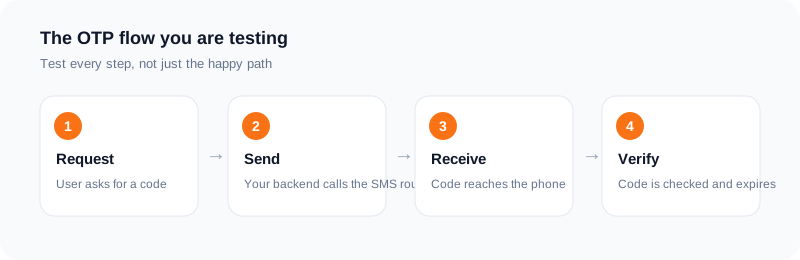
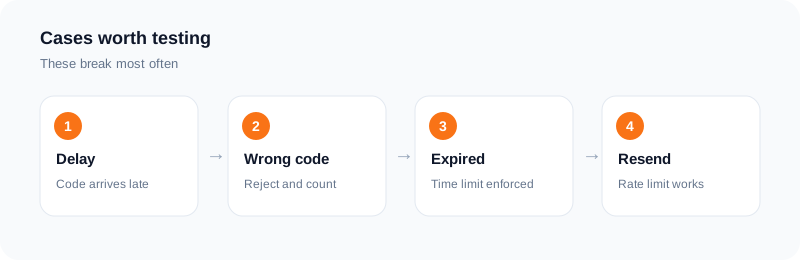
Start with the normal path: a user enters a number, receives a code, enters it, and is verified. Then test the cases around it. What happens if the code is wrong three times? If it expires? If the user asks for a new one? If two codes are sent close together, which one is valid?
Check your messages too. Make sure the text is short, says what it is for, and does not look like spam.
Delays and failures
Real SMS is not instant. Delivery can take seconds or longer, and sometimes a message does not arrive. Your app should show a clear countdown, allow a resend after a sensible wait, and offer another method when possible.
Test what the user sees when the text provider returns an error. A silent failure is worse than an honest message.
Rate limits and abuse
Limit how often a code can be requested per number and per device. Count failed attempts and lock the flow for a while after too many. Test these limits on purpose. They protect you from cost and from misuse.
Fixed test numbers and real numbers
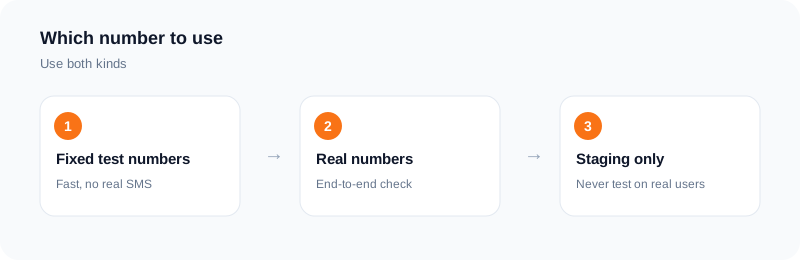
Many auth tools let you set fixed test numbers with fixed codes. They are fast and free, and they are good for automated tests. They do not tell you how a real network behaves.
A real number tests the full path. With SMS Activate you can rent a number, run your flow against it, and read the code on the dashboard or through the API. The API documentation lists the endpoints and the billing rules.
Cost and etiquette
Real numbers cost a small amount per activation. Keep real-number tests for staging and for a short list of end-to-end checks. Only test against services you own or have permission to test. Do not point tests at third-party sites.
A short checklist
Test happy path, wrong code, expiry, resend and rate limits. Test a slow delivery. Test a failed send. Keep codes short-lived. Log events without logging the codes themselves.
A sample test plan
Write the cases down before you run them. Happy path: request a code, receive it, enter it, and sign in. Wrong code: enter a wrong code and check the error message and the attempt counter. Expired code: wait past the expiry and check that the old code is rejected.
Resend: request a second code and confirm that the first one stops working, if that is your rule. Rate limit: send several requests quickly and check that your limit applies. Country format: test numbers with and without the country code.
Record the time each message takes to arrive. A table of requests and arrival times shows you whether your delivery is slow only at certain moments.
Keeping tests cheap and clean
Real numbers cost a small amount per activation, so use them for the cases that need the real path, and use fixed test numbers for the rest. Run real-number tests on a schedule, such as before a release, not on every commit.
Log the outcome of each test with the date and the build. If a test fails, repeat it once before you raise it as a bug, because carrier delays can mislead.
What to do with failures
Separate your bugs from delivery problems. If the message never left your system, it is your bug. If it left and did not arrive, check your sender settings and the route. Share the details with your SMS provider, including timestamps and the exact number.
Reporting results to your team
A short test report helps: the date, the build, the number of requests, the number of codes that arrived, the slowest and the fastest arrival time, and any errors. Keep to what you measured, and avoid claims about carriers in general.
If you find a slow route, note the country and the time of day. Patterns across several days tell you more than one bad run.
Frequently asked questions
Should I test with real numbers in CI?
Use fixed test numbers for fast automated tests and a few real-number checks before release.
How do I read the code in a test?
On the dashboard, or through the API described in the documentation.
Can I test other companies' sites?
Only with permission. Test your own flows.
What if no SMS arrives in a test?
A standard activation with no SMS in 20 minutes is refunded to your wallet.
Should I test with real numbers on every build?
No. Use them for release checks and for cases that need the real delivery path, and use fixed test numbers elsewhere.
How do I read the codes in automated tests?
Through the dashboard or the API. The API documentation lists the endpoints.
Ready to try it?
Rent a number and receive your verification code in under a minute.
Open the dashboardKeep reading
Related services
 Telegram verificationCreate a Telegram account without exposing your personal phone number.
 WhatsApp verificationVerify WhatsApp with a private second number instead of your everyday SIM.
 Google / Gmail / YouTube verificationVerify a new Google account, Gmail address, or YouTube channel without your main number.